Connect Power BI to Log Analytics
Before Power BI can read data from the Log Analytics workspace, you must add the Log Analytics API permissions to your Power BI app registration (the one created during the BI for Intune installation).
Required for both Custom Inventory and WUfB Reports
This step is needed whenever Power BI reads data from a Log Analytics workspace, whether for Custom Inventory data, WUfB Reports data, or both.
Note
These steps may have been performed when originally creating the app registration (Steps 15-19 of Create Azure AD App Registration). If so, you can skip this page.
Info
This is for the Power BI app registration only. The inventory app registration (used by the collection scripts) does not need this permission.
Prerequisites: The user performing this step requires Global Admin and Subscription Admin rights.
Step 1: Open App registrations in Azure
- Log in to entra.microsoft.com or portal.azure.com using a global administrator account.
- Search for and select App registrations.
- Select your Power BI app registration for BI for Intune. (Note: The name may vary from what is shown in this doc.)
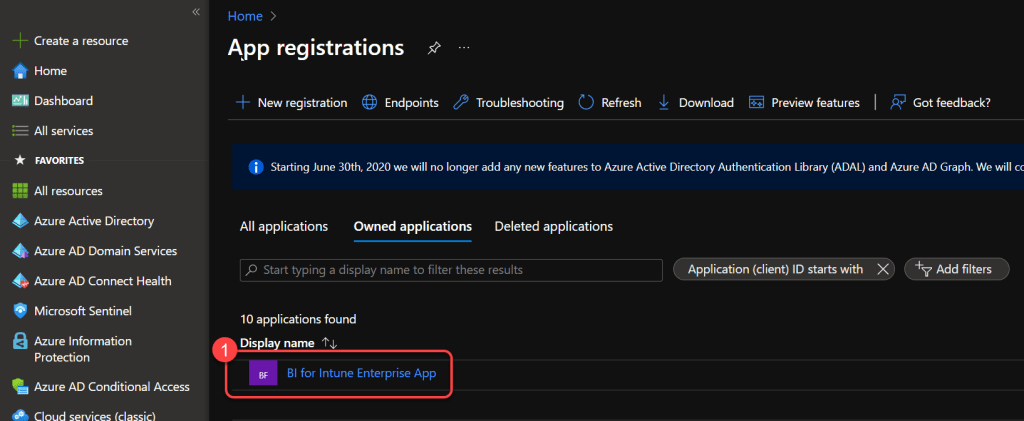
Step 2: Navigate to API Permissions
- On the app registration page select API Permissions.
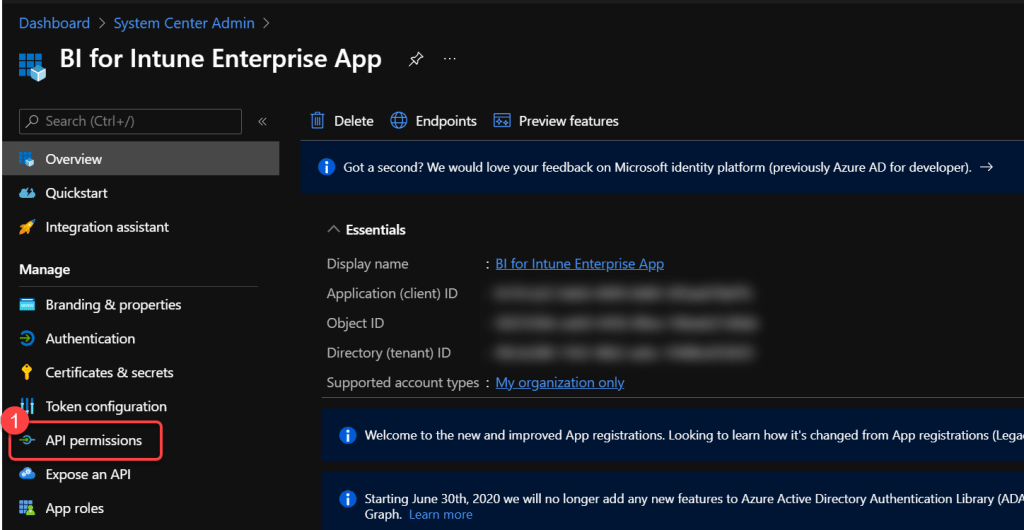
Step 3: Add a new permission
- Select Add a permission.
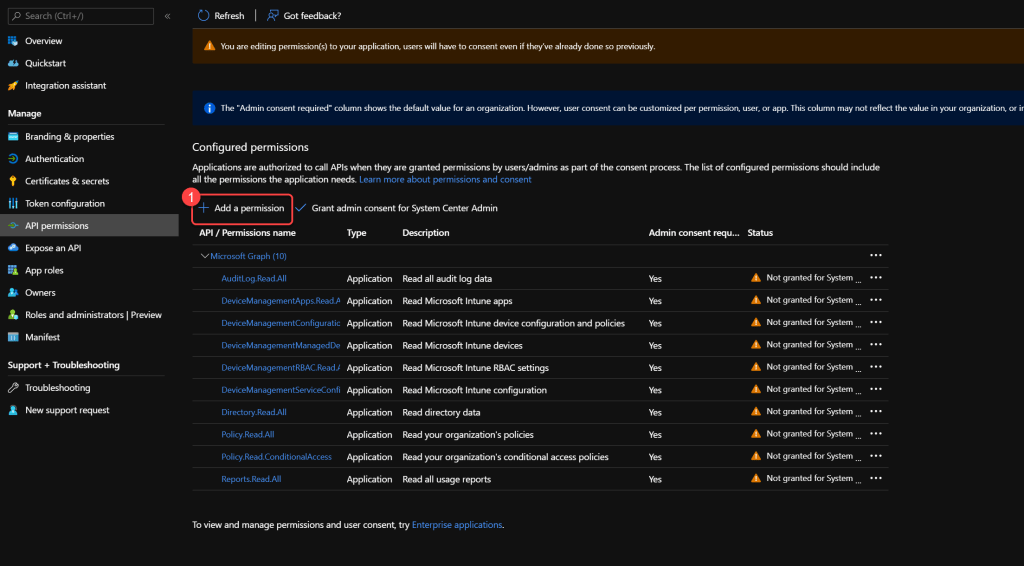
Step 4: Select organization APIs
- Select APIs my organization uses.
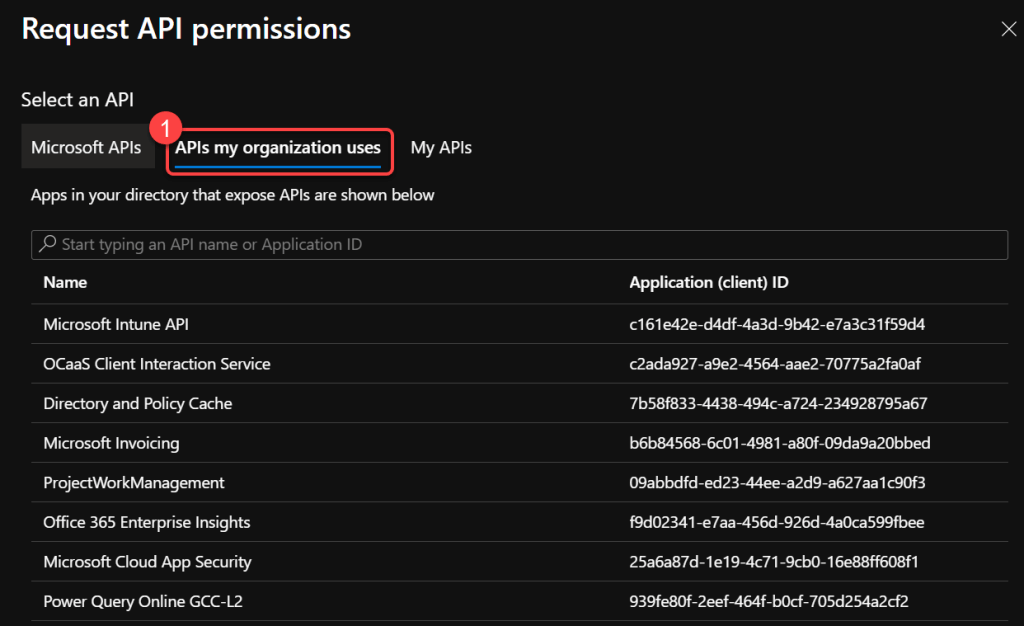
Step 5: Select Log Analytics API
- Search for Log Analytics.
- Select Log Analytics API.
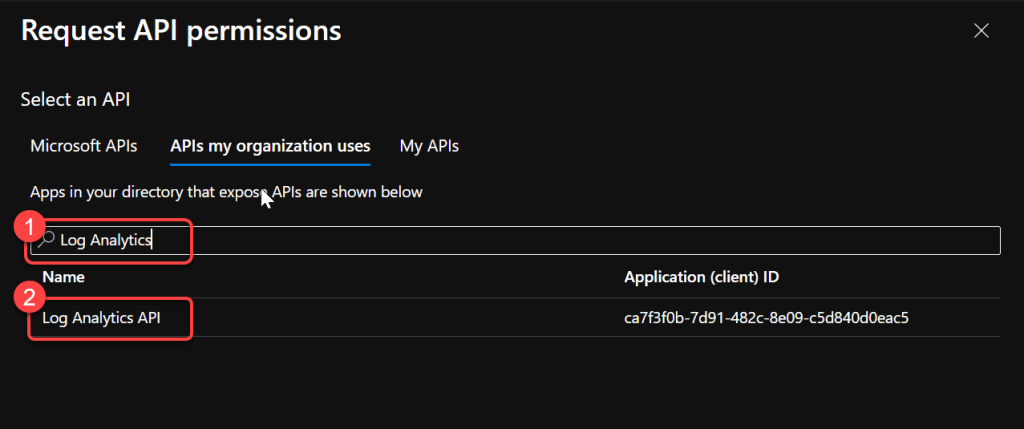
Step 6: Select Application permissions
- Select Application Permissions.
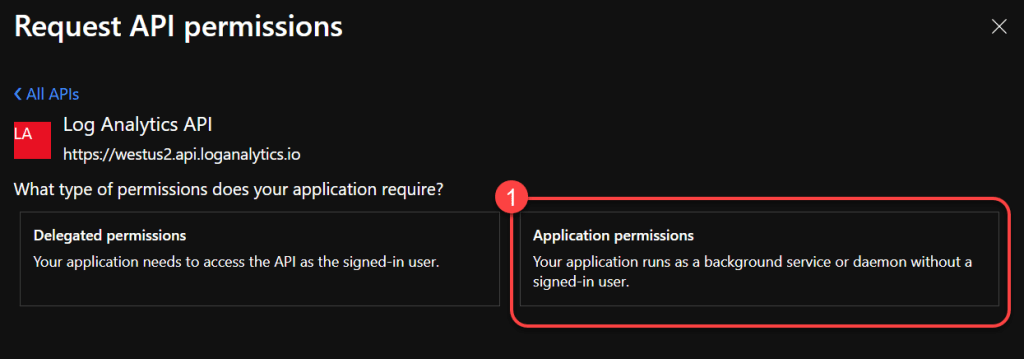
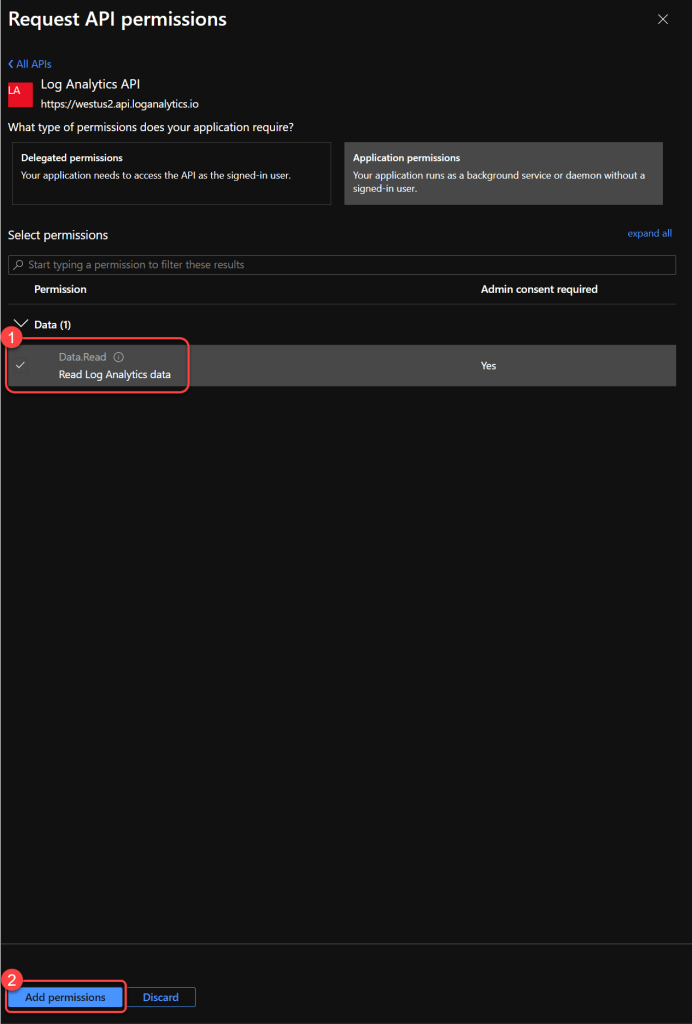
Step 7: Add Data.Read permission
- Select Data.Read.
- Select Add permissions.
Step 8: Grant admin consent
- Select Grant admin consent for your tenant.
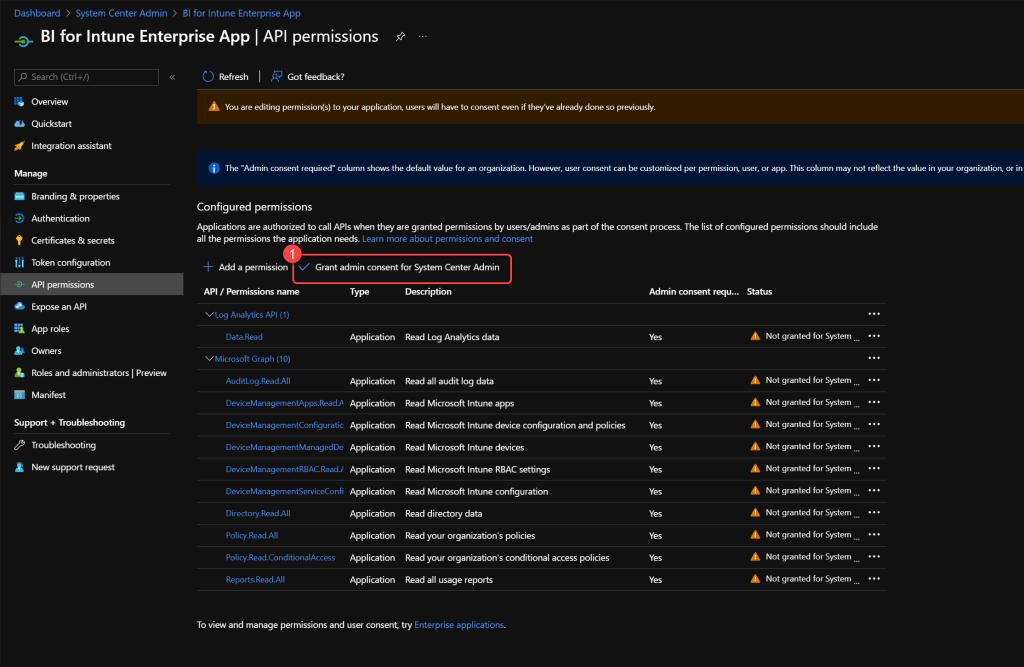
Step 9: Confirm admin consent
- Select Yes at the prompt.
- You have now completed the steps required.
