Configure The Semantic Model Parameters
The BI for Defender dataset contains some parameters that must be configured to synchronize data from Defender for Endpoint to Power BI. Following the steps below to configure the dataset parameters and sync your data.
Step 1: Open the Defender Workspace
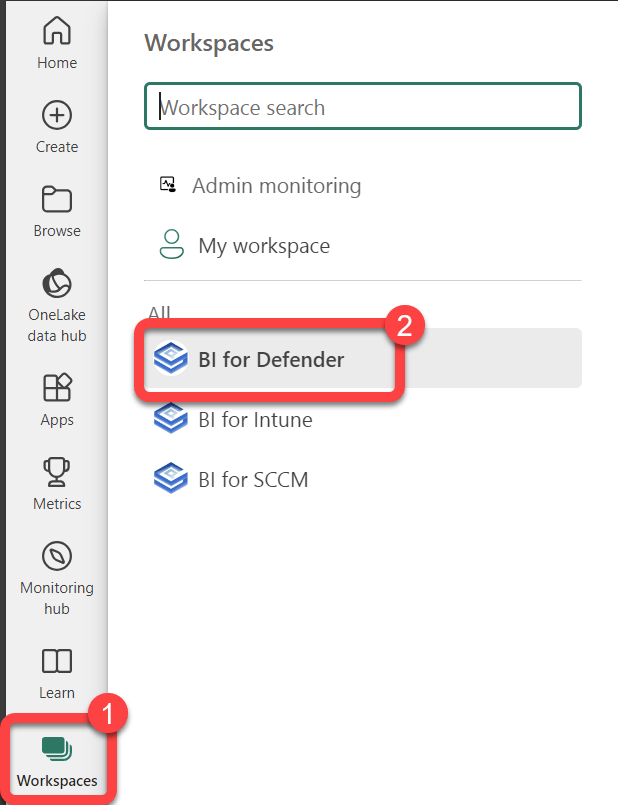
- Select Workspaces.
- Select the BI for Defender workspace.
Step 2: Open the Dataset Settings
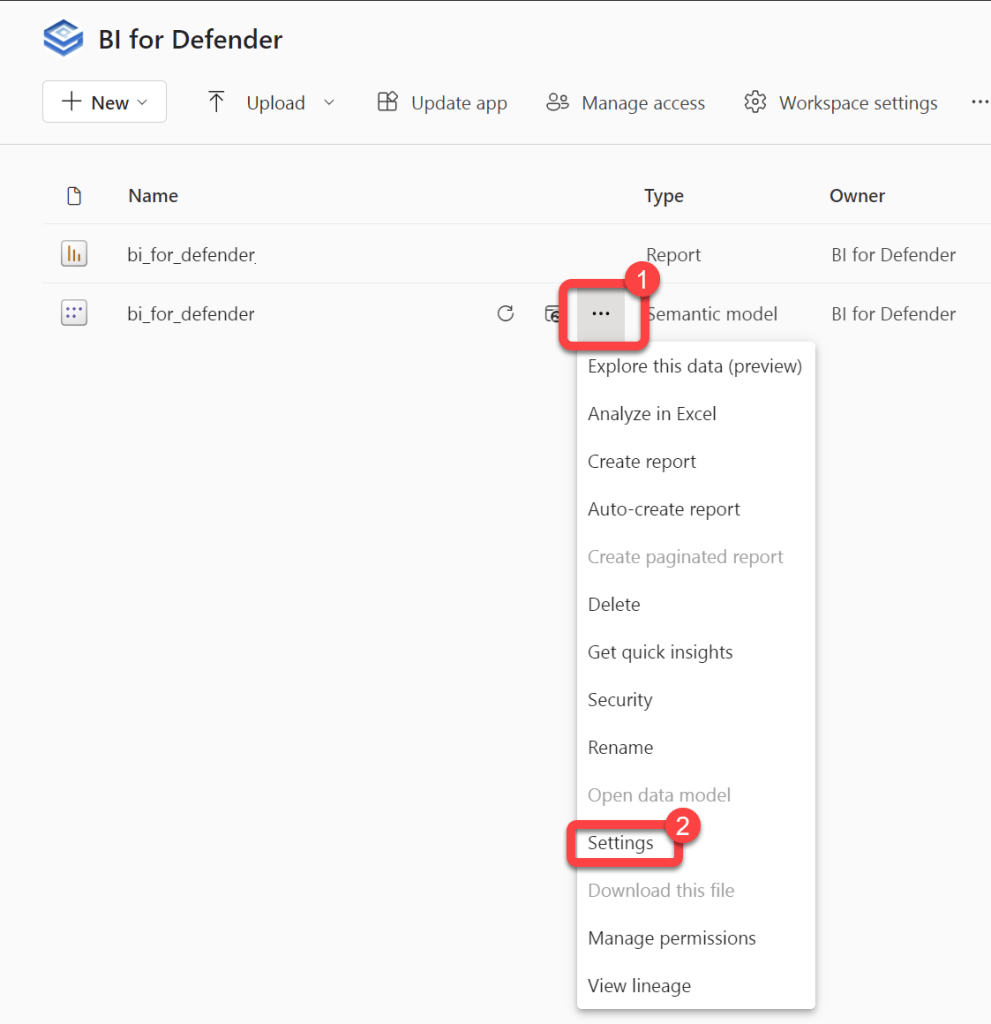
- Hover over the bi_for_defender Semantic model to reveal a kebab menu (three vertical dots).
- Select the kebab menu.
- Select Settings.
Step 3: Enter the Dataset Parameters
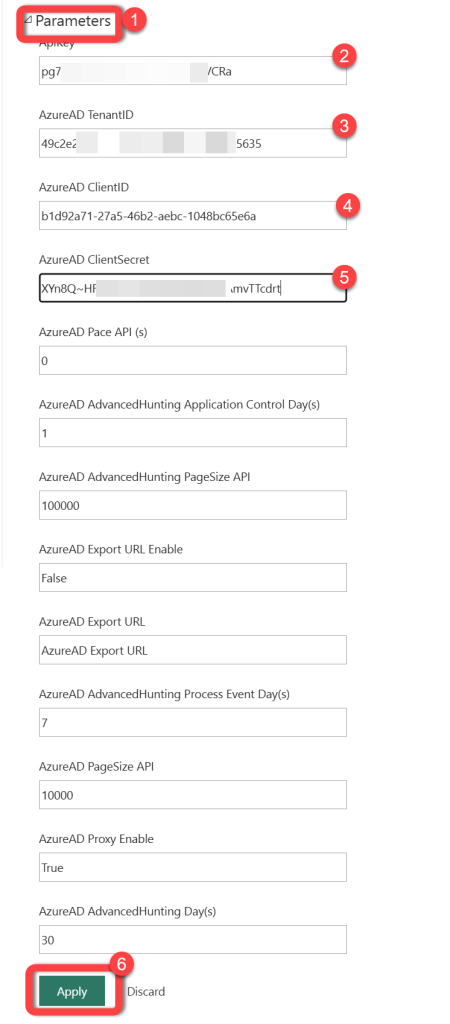
- Expand Parameters.
- Enter the API Key that you received from us after completing the Request a Trial Key form.
- Enter the Azure AD Client ID that you recorded during the configuration of the Azure AD App Registration.
- Enter the Azure AD Client Secret that you recorded during the configuration of the Azure AD App Registration. As mentioned in the previous article the Client Secret does not have dashes (-) in it. The Client Secret looks similar to this:
aBcDE~fGh.I.JKlmnopqRsTuVwXyZ1234567890 - Enter you Azure AD tenant ID that you recorded during the configuration of the Azure AD App Registration.
- Select Apply.
Step 4: Expand Data Source Credentials
- Expand Data Source Credentials.
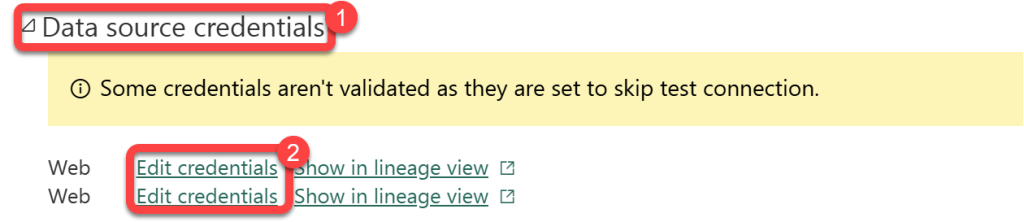
Step 5: Configure API Credentials
- Select each occurrence of Edit credentials one by one and configure each as follows:
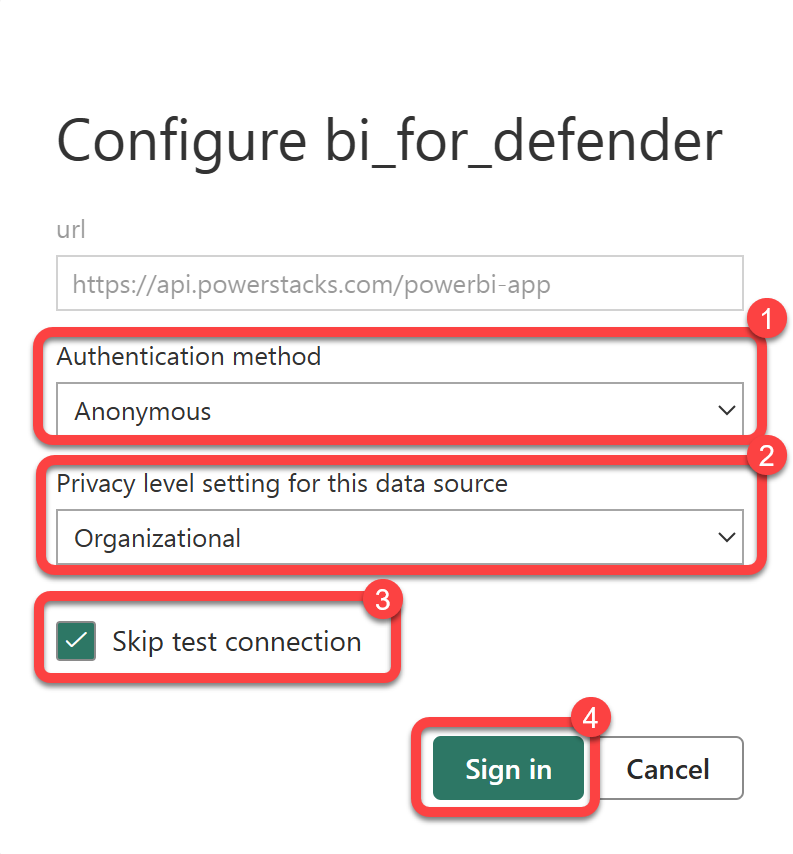
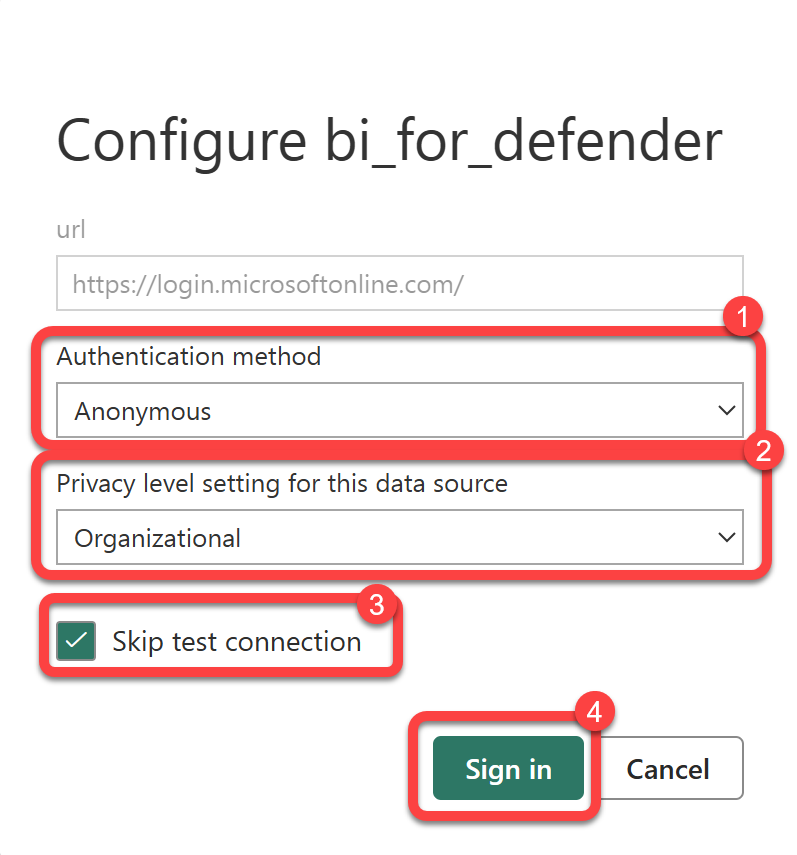
- Select Anonymous as the Authentication method and Organizational as the Privacy level for all credentials.
- Select Skip test connection on both.
Select Sign in on each of the credentials.
Step 6: Configure PowerStacks API Credentials
- Select each occurrence of Edit credentials one by one and configure each as follows:
- Select Anonymous as the Authentication method and Organizational as the Privacy level for all credentials.
- Select Skip test connection on both.
Select Sign in on each of the credentials.