Inventory Lenovo Model Names
Lenovo stores its friendly model names in a different WMI class that any other manufacturer. By default, ConfigMgr does not inventory this WMI class. To populate the Lenovo model names you must extend hardware inventory to include the ComputerSystemProduct WMI class. Adding this class will ensure that the reports in BI for SCCM contain model names such as, "X1 Carbon" rather than something like "20K3". For more information on extending Configuration Manager hardware inventory see Enable or disable existing classes in the How to extend hardware inventory Configuration Manager documentation page. Prerequisites:
Hardware inventory must be enabled.
Step 1: Open Client Settings Properties
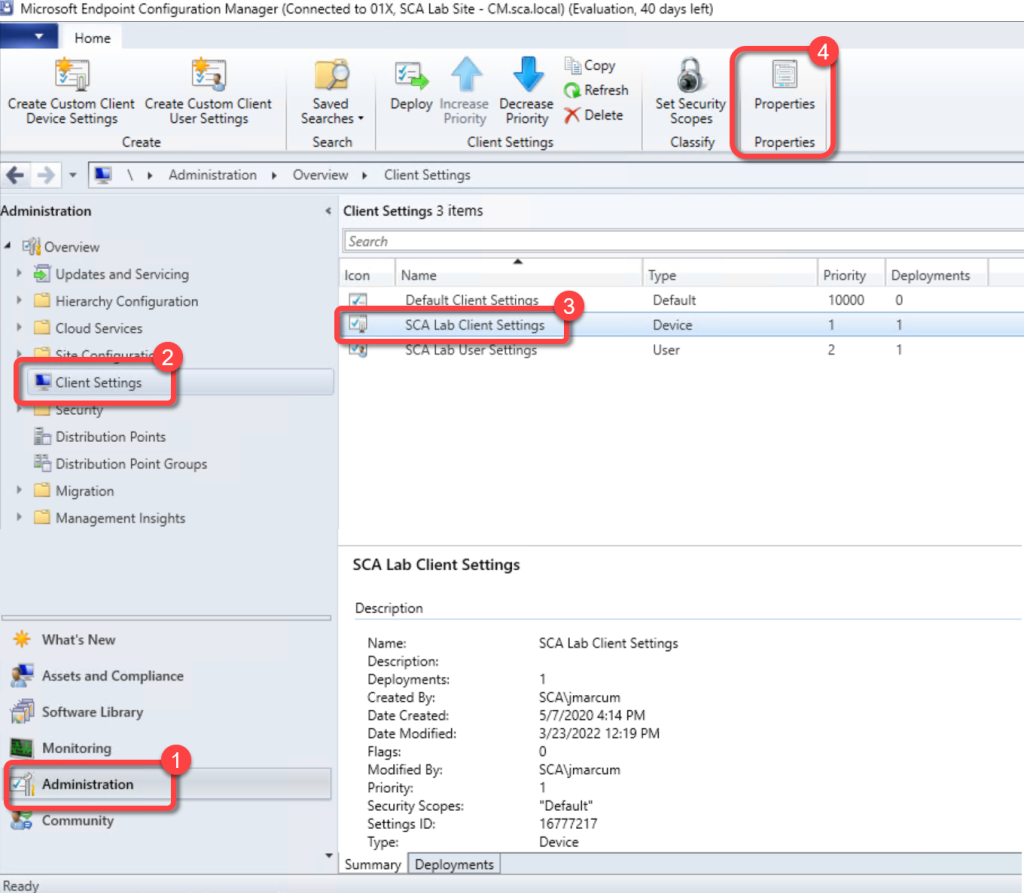
- In the Configuration Manager console, go to the Administration workspace.
- Select the Client Settings node.
- Select the client settings in which you have configured your hardware inventory settings.
- On the Home tab, in the Properties group, choose Properties.
Step 2: Open Hardware Inventory Classes
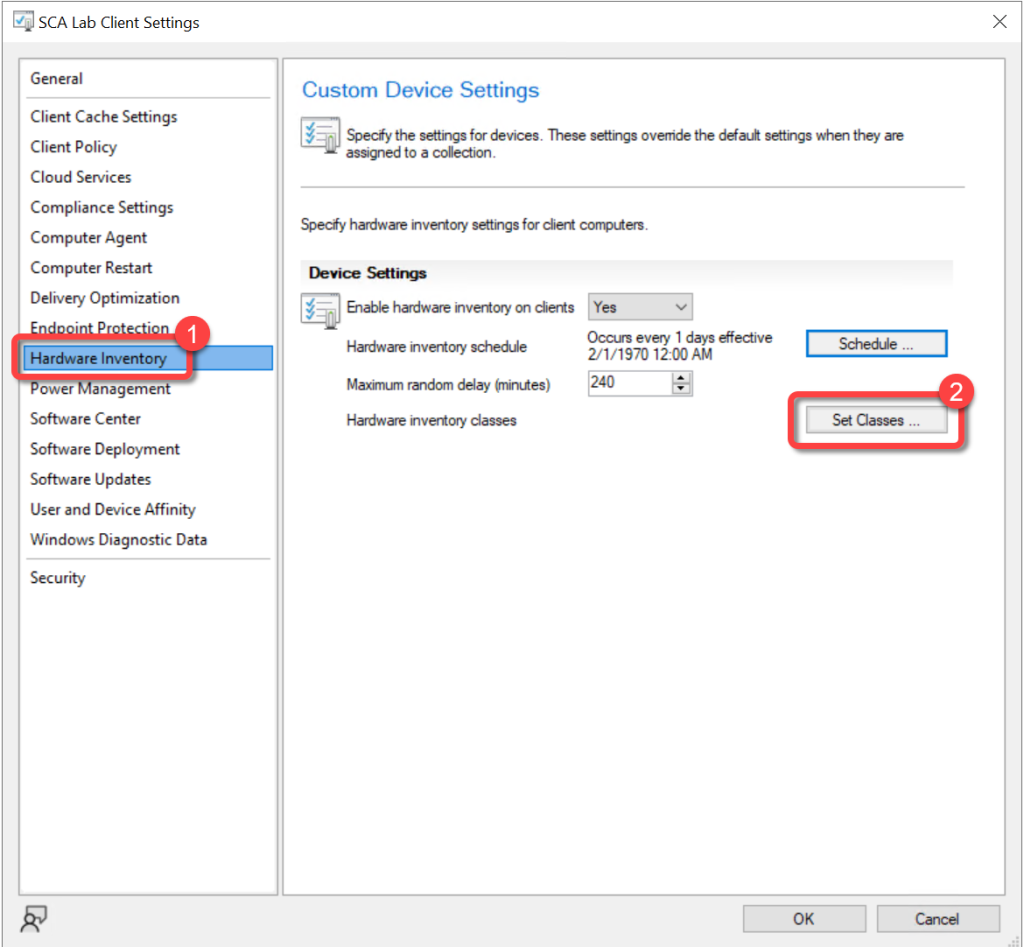
- In the client settings dialog, choose Hardware Inventory.
- In the Device Settings list, select Set Classes.
Step 3: Enable ComputerSystemProduct Class
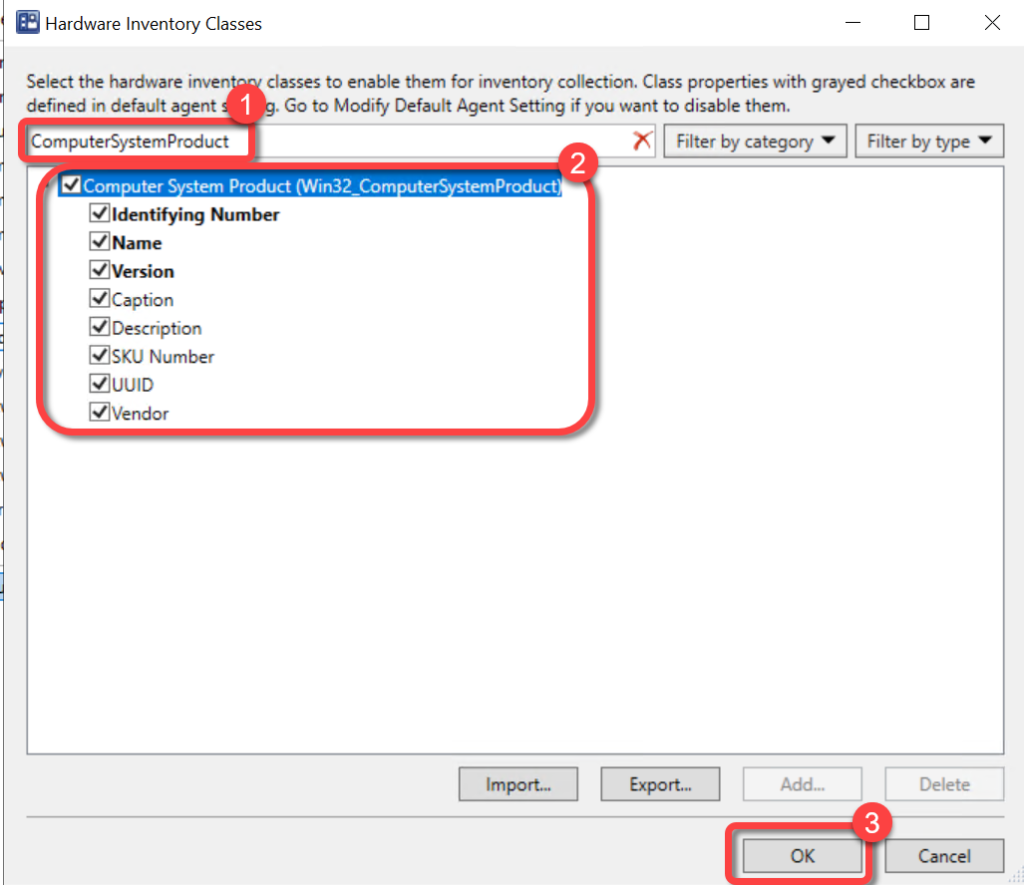
- In the Hardware Inventory Classes dialog, use the Search for inventory classes field to search for the ComputerSystemProduct class.
- Select the ComputerSystemProductclass.
- Select OK
Step 4: Confirm Client Settings
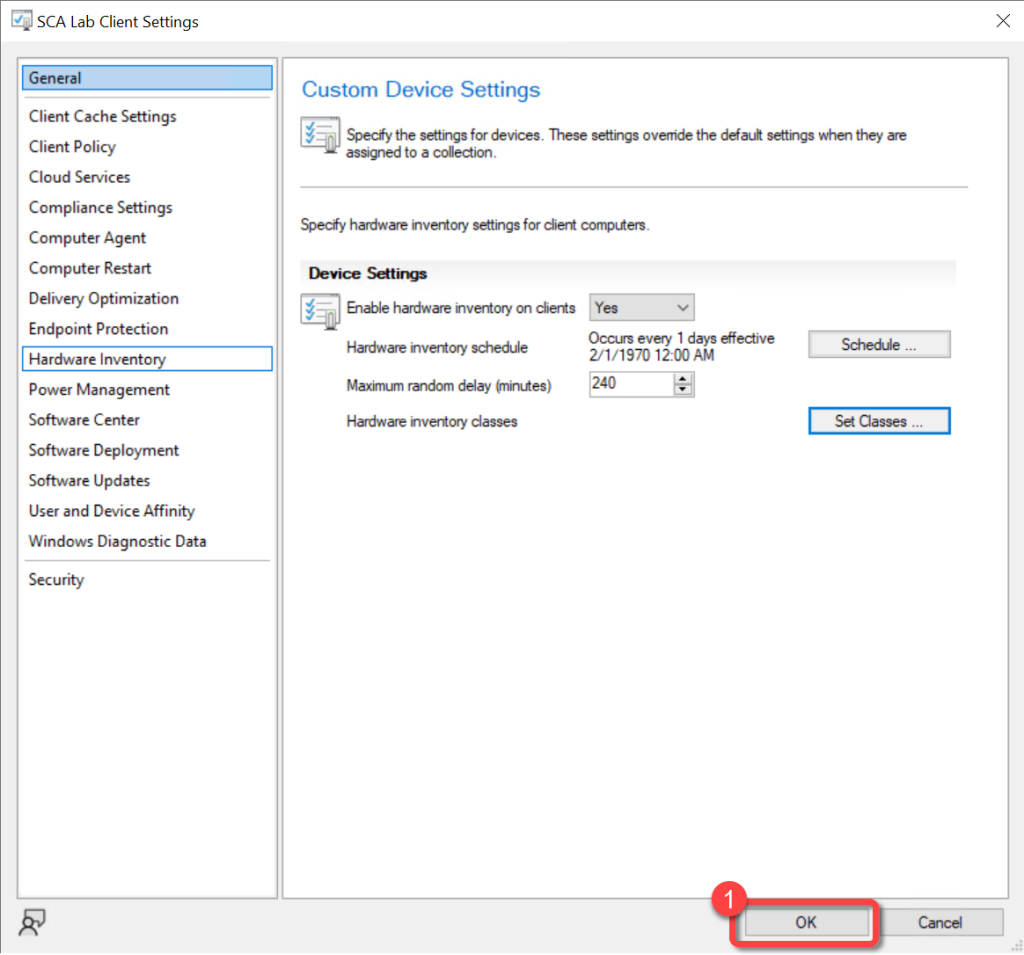
- In the client settings dialog, select OK.