Inventory Environment Variables
Several customers write custom data to the Windows environment variables so that they can track things like OS deployment task sequence name for example. The environment variables are not collected as part of hardware inventory by default. If you would like to be able to report on environment variables, you must enable the class in hardware inventory.
For more information on extending Configuration Manager hardware inventory see Enable or disable existing classes in the How to extend hardware inventory Configuration Manager documentation page.
Prerequisites:
Hardware inventory must be enabled.
Step 1: Open Client Settings Properties
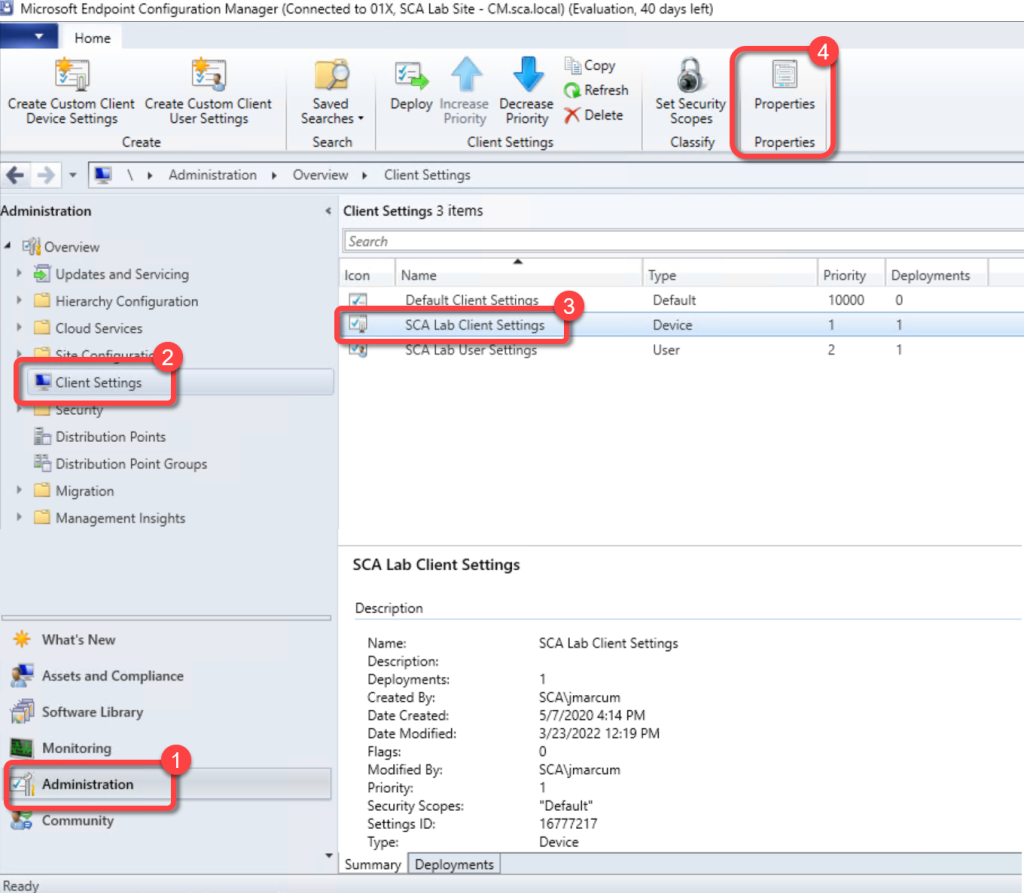
- In the Configuration Manager console, go to the Administration workspace.
- Select the Client Settings node.
- Select the client settings in which you have configured your hardware inventory settings.
- On the Home tab, in the Properties group, choose Properties.
Step 2: Open Hardware Inventory Classes
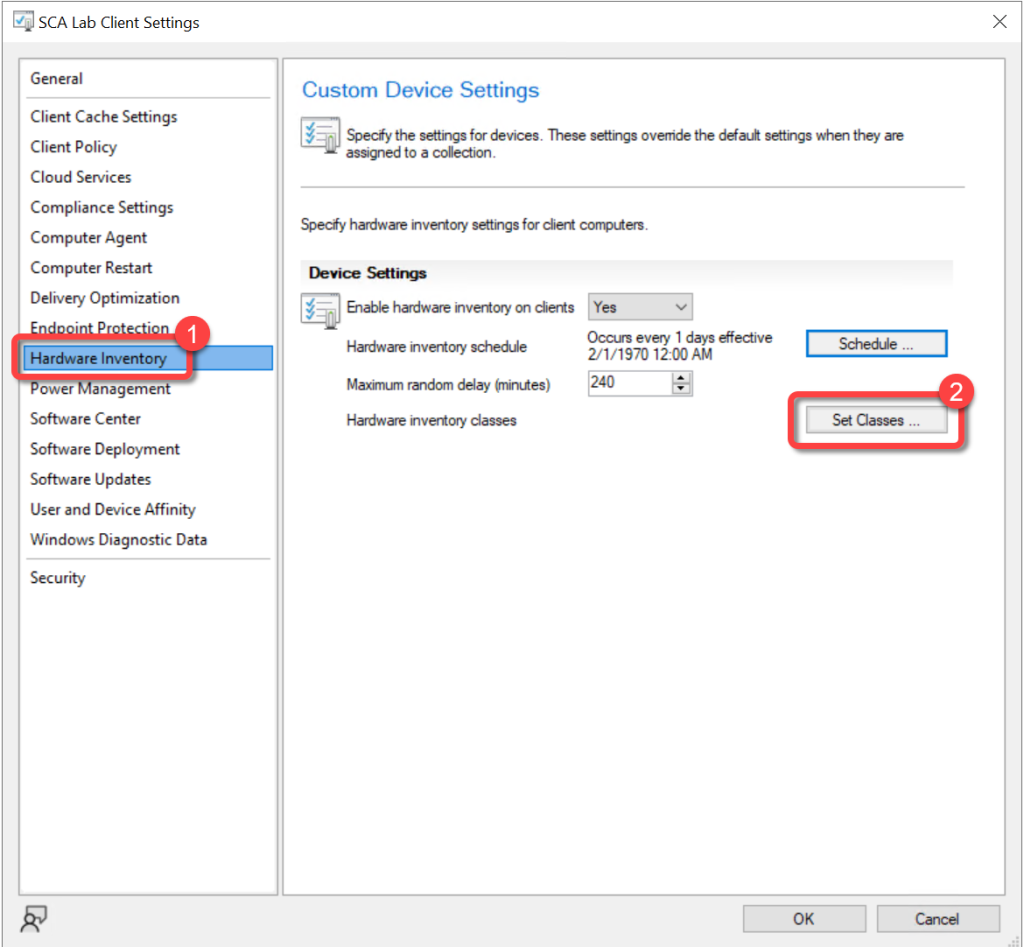
- In the client settings dialog, choose Hardware Inventory.
- In the Device Settings list, select Set Classes.
Step 3: Enable Environment Class
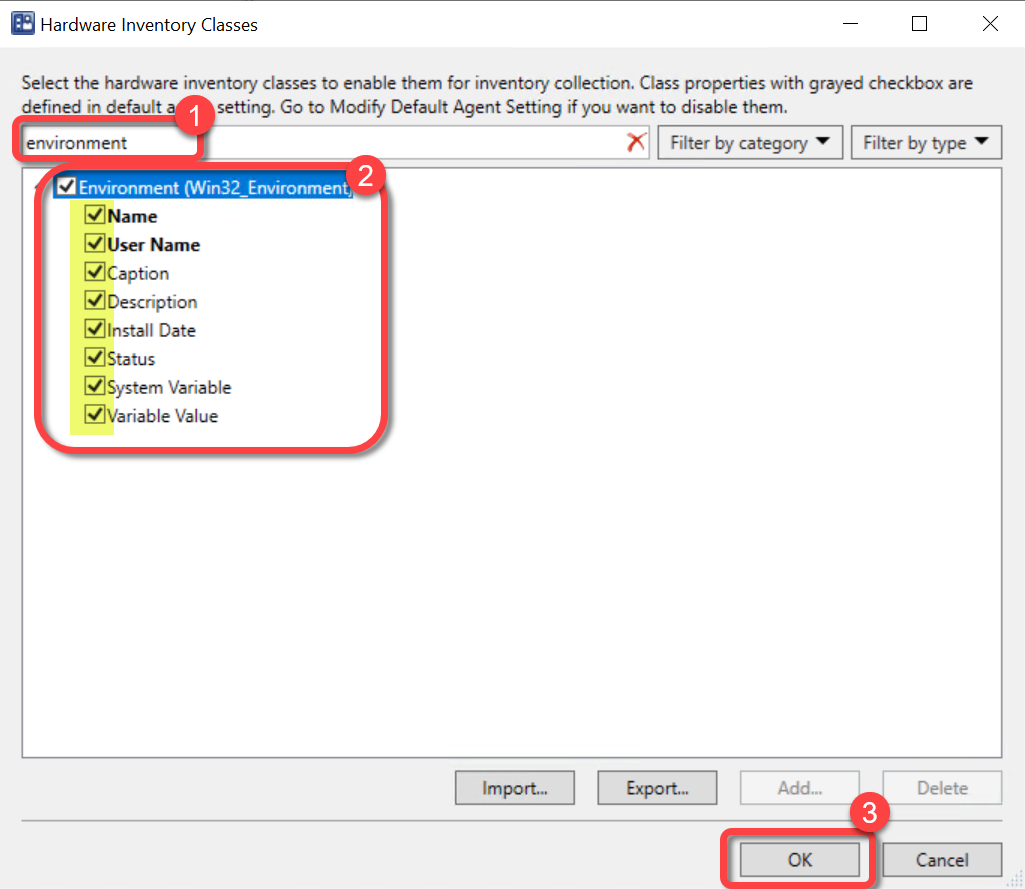
- In the Hardware Inventory Classes dialog, use the Search for inventory classes field to search for the Environmentclass.
- Select the Environmentclass.
- Select OK.
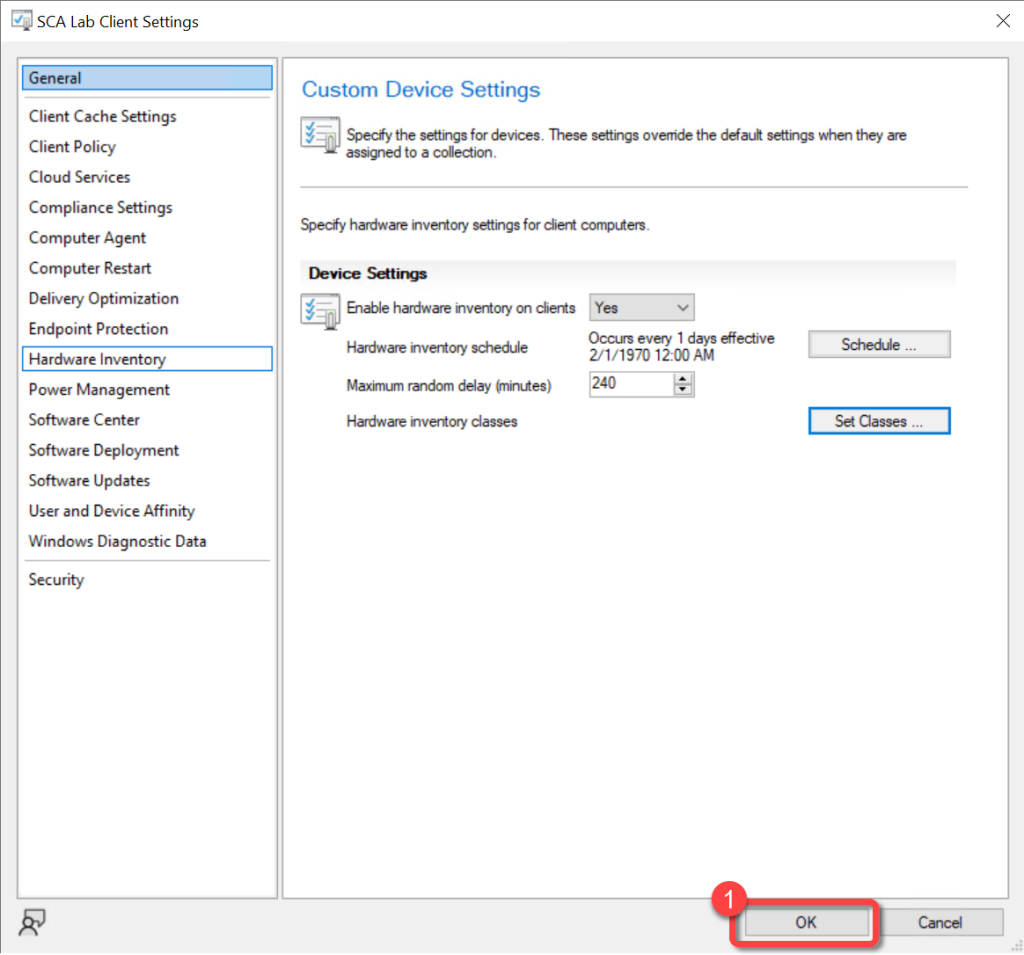
Step 4: Confirm Client Settings
- In the client settings dialog, select OK.